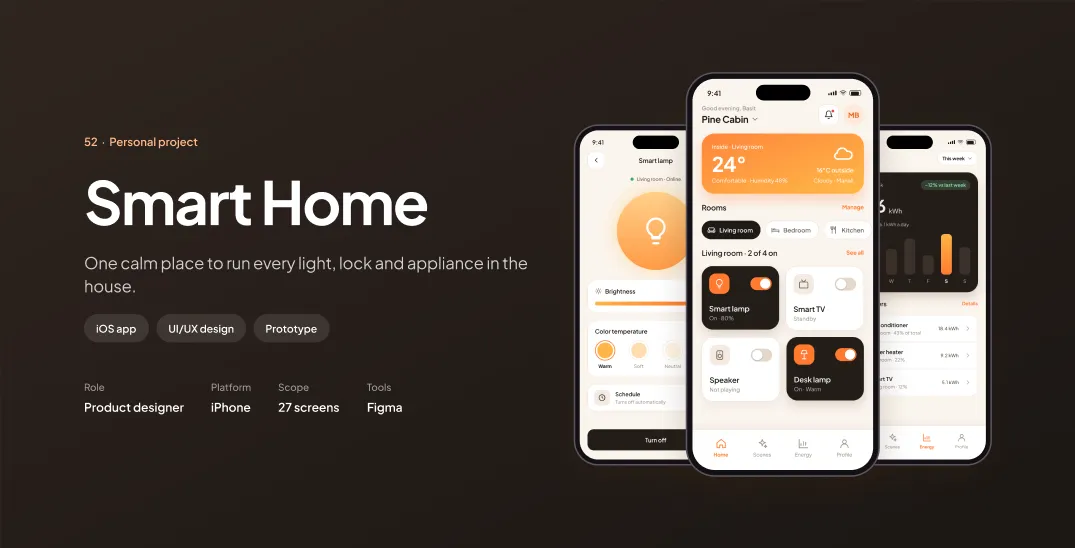
Smart Home
One calm place to run every light, lock and appliance in the house.
Overview
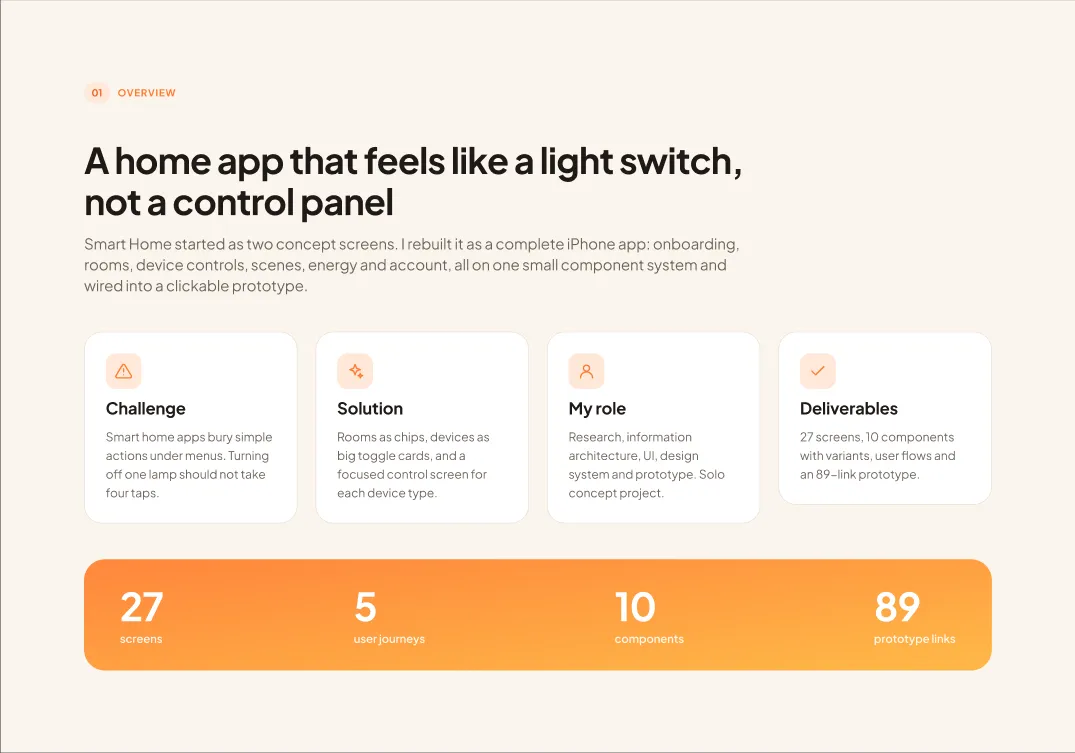
A home app that feels like a light switch, not a control panel
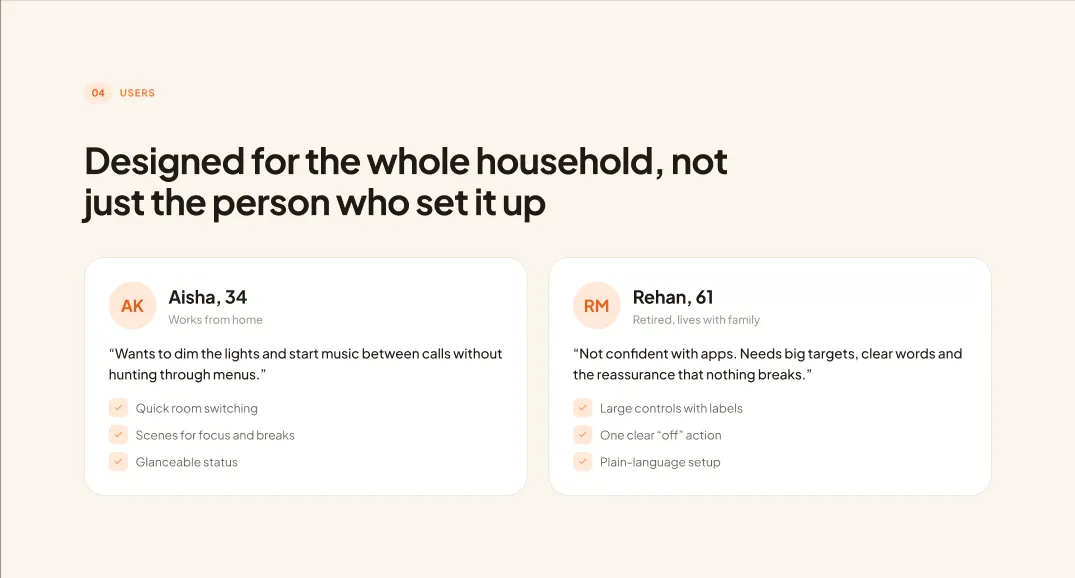
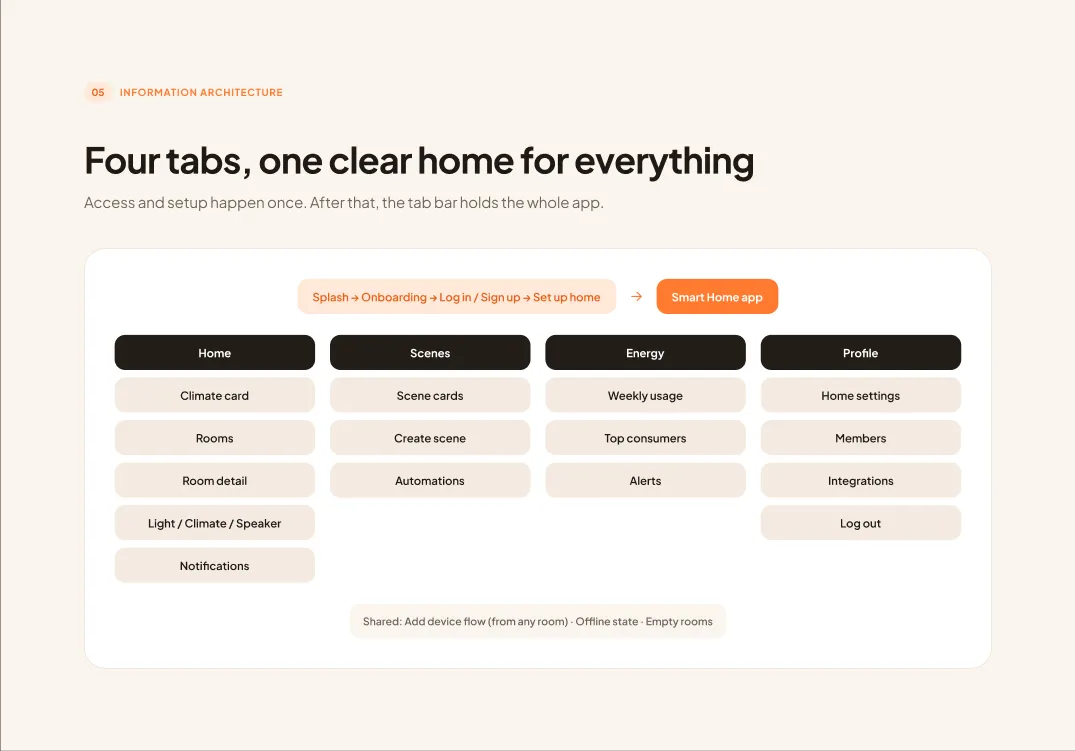
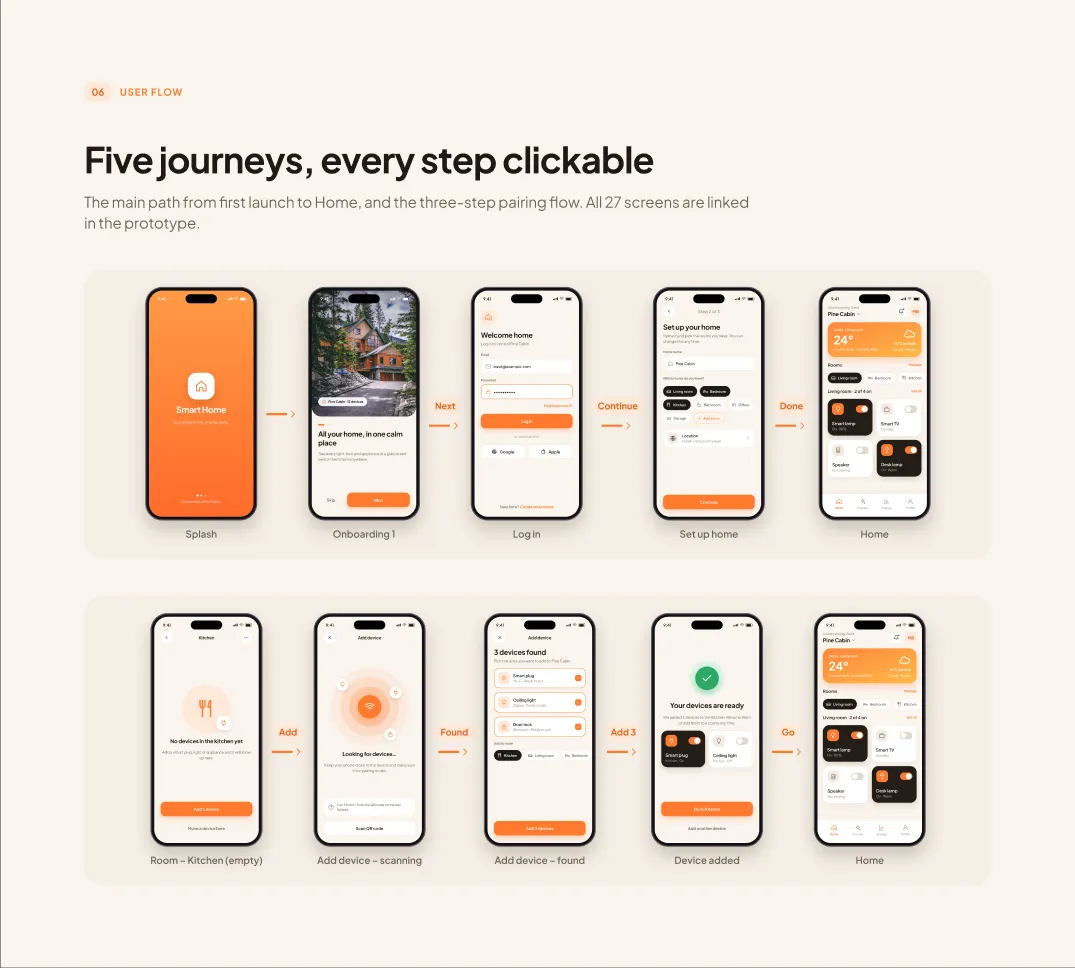
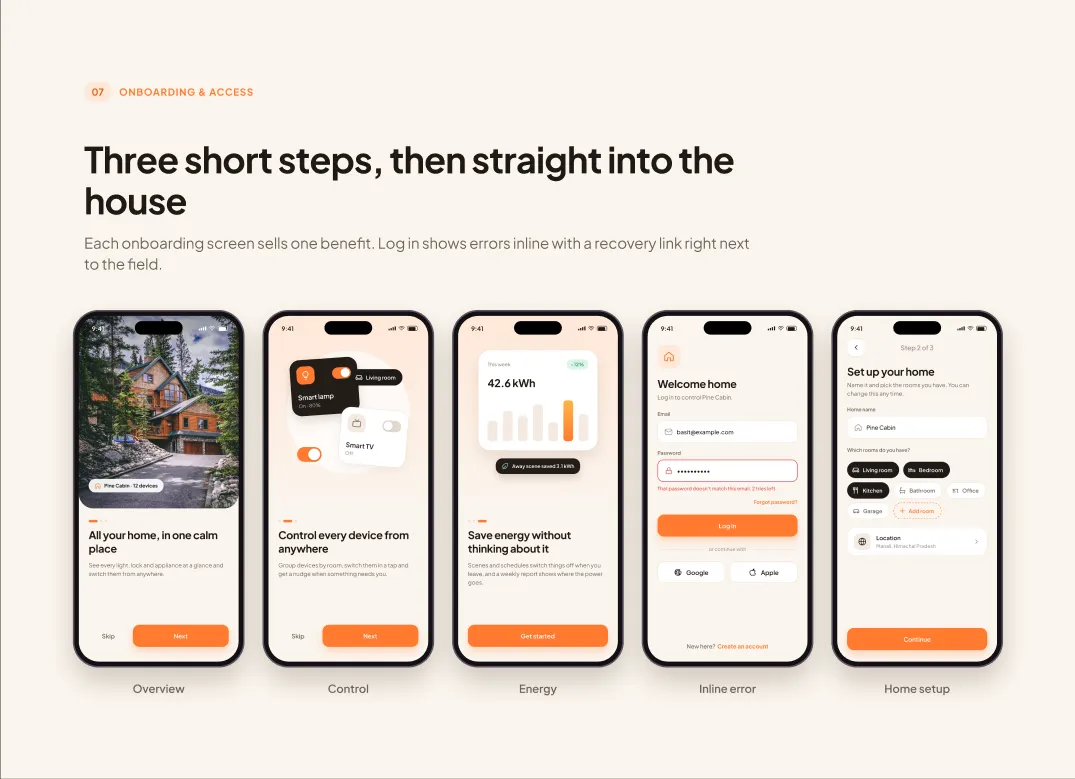
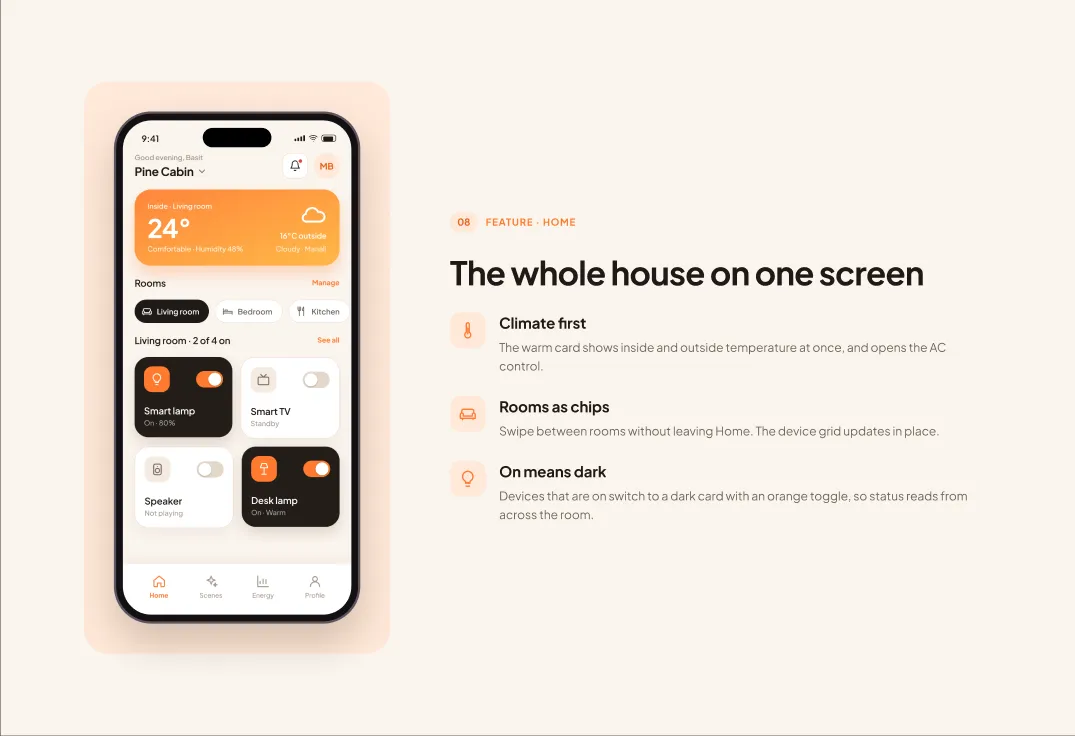
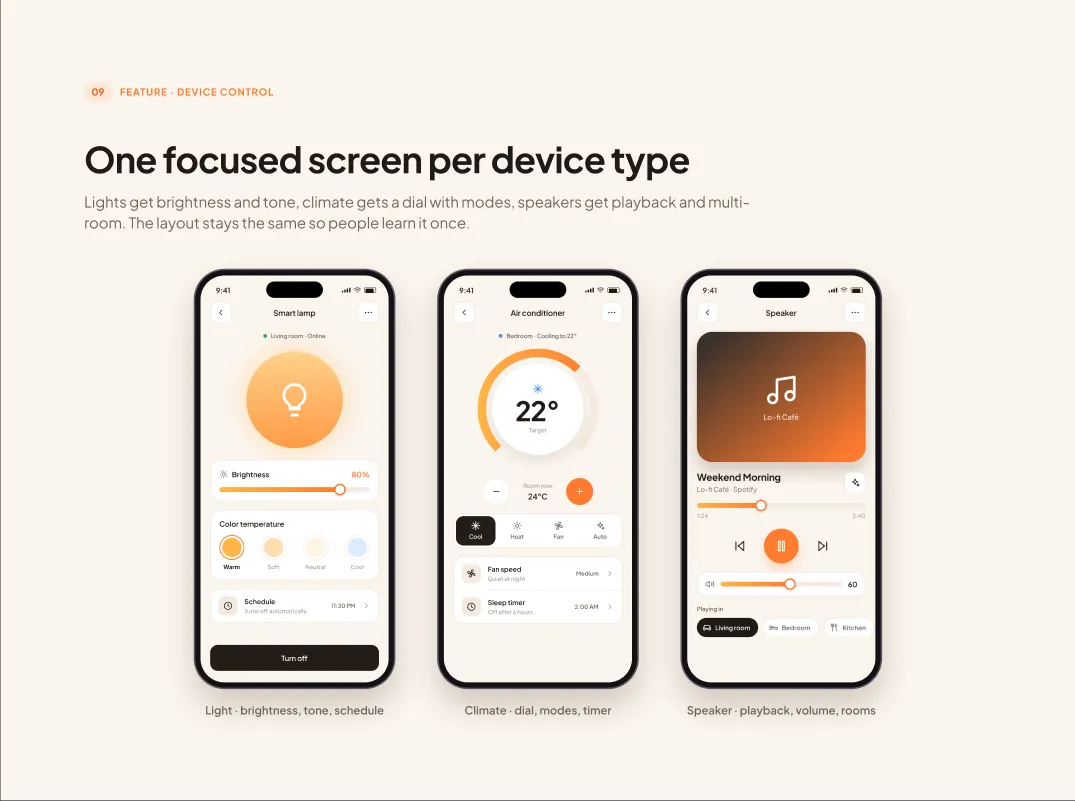
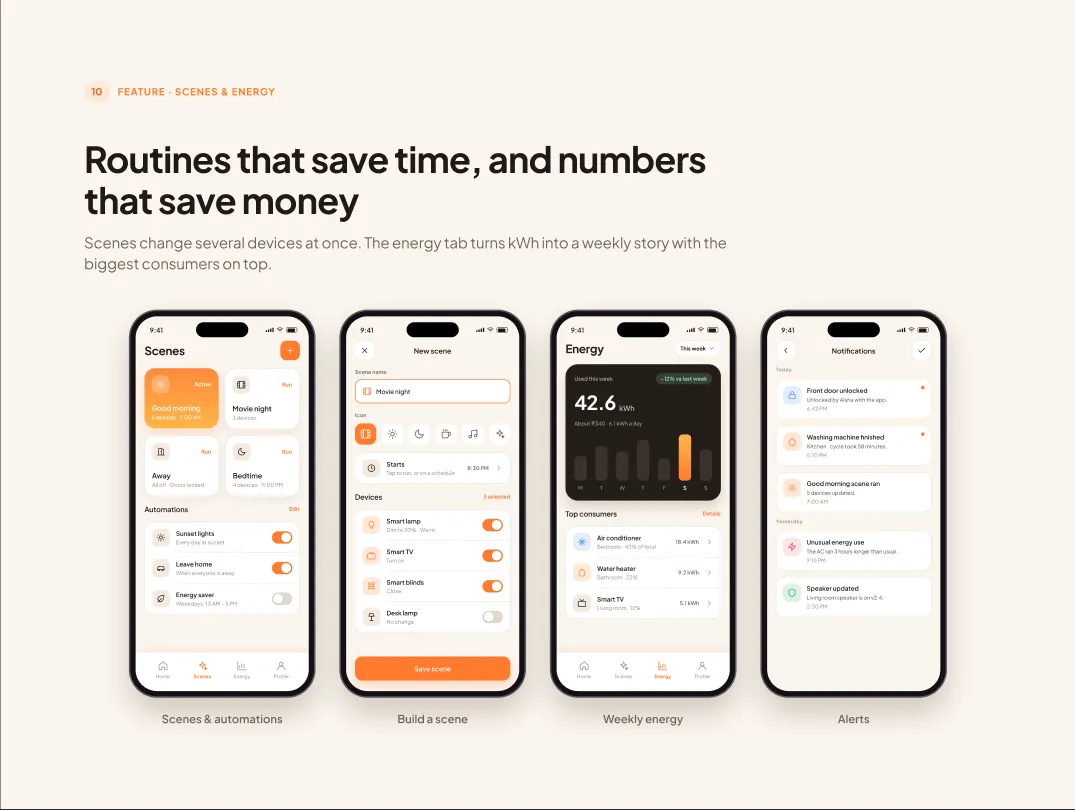
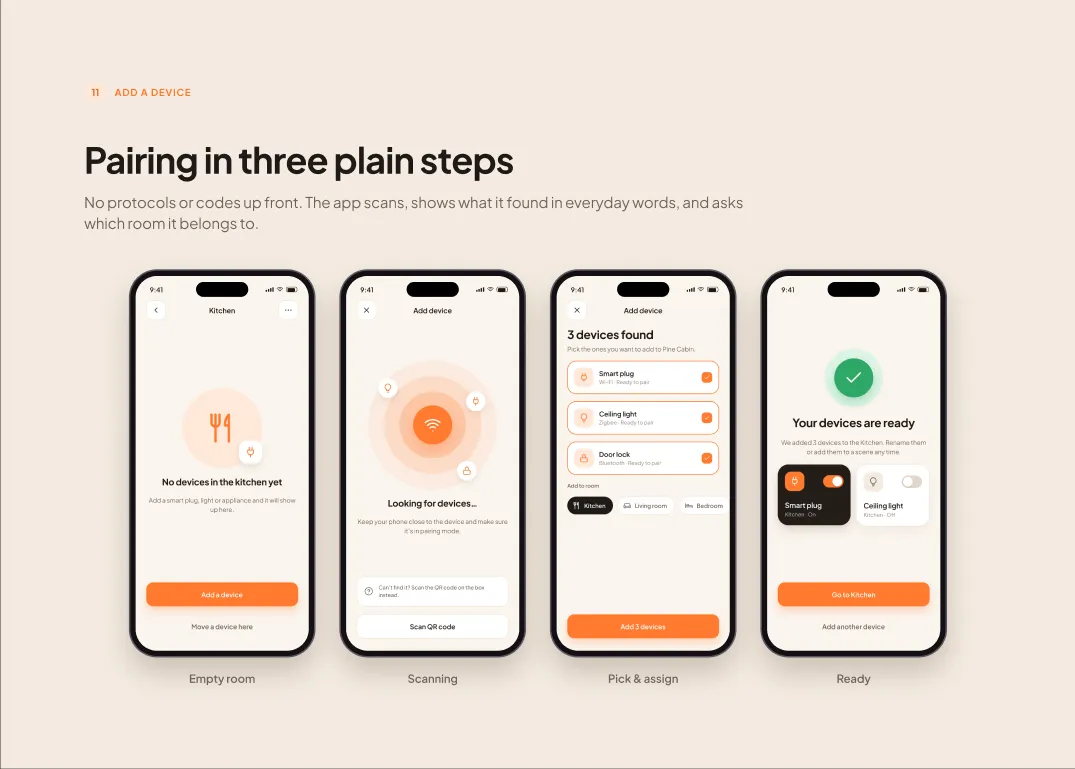
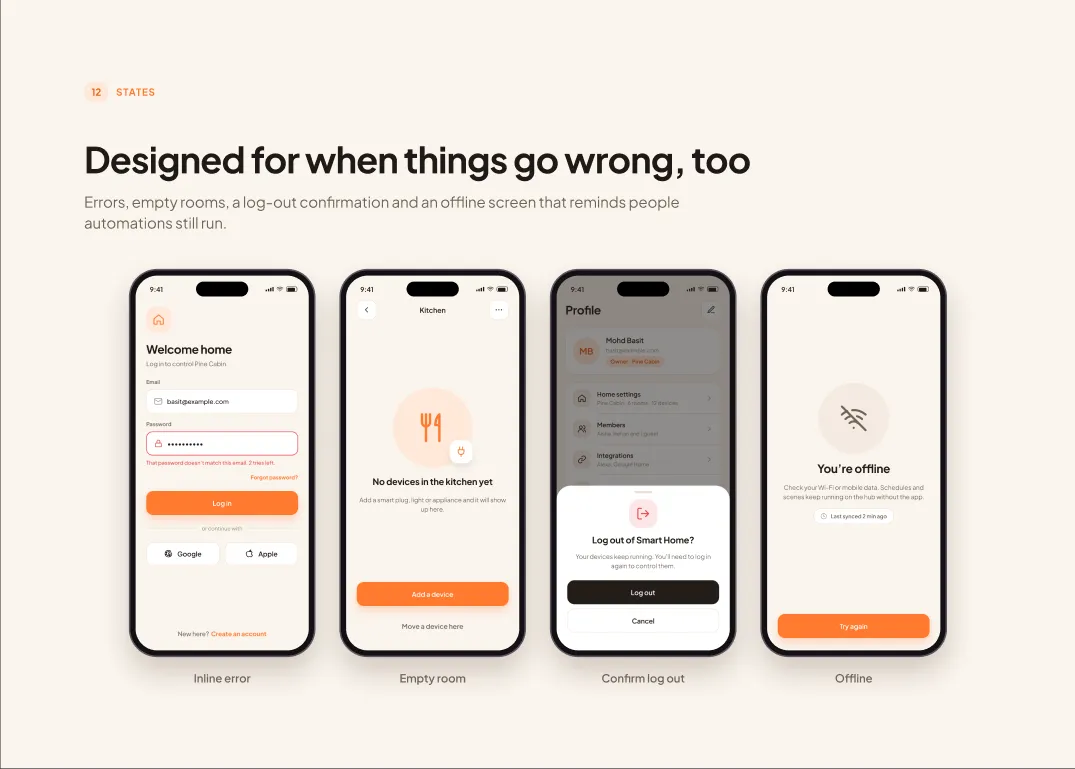
Smart Home started as two concept screens. I rebuilt it as a complete iPhone app: onboarding, rooms, device controls, scenes, energy and account, all on one small component system and wired into a clickable prototype.
27screens
5user journeys
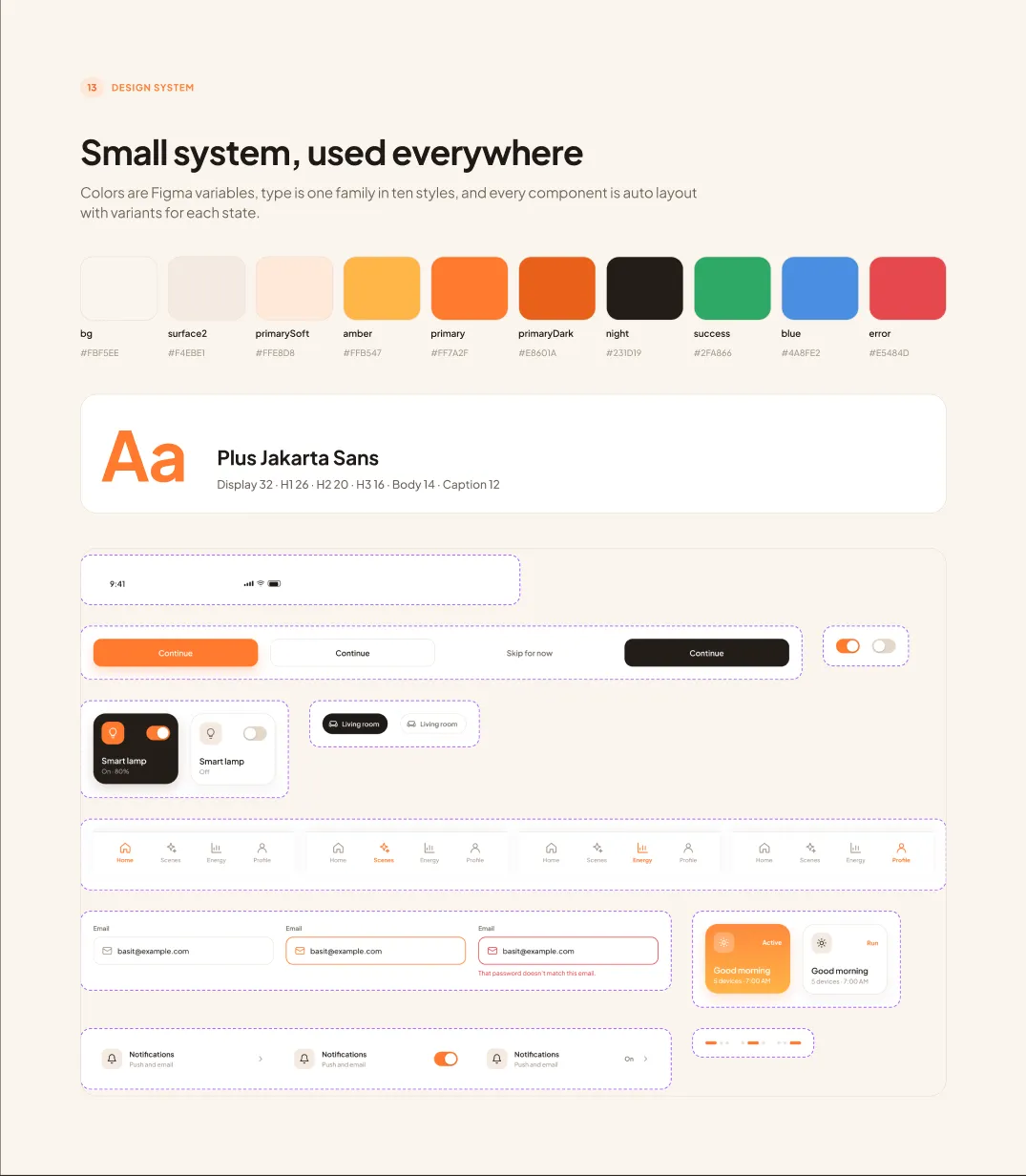
10components
89prototype links
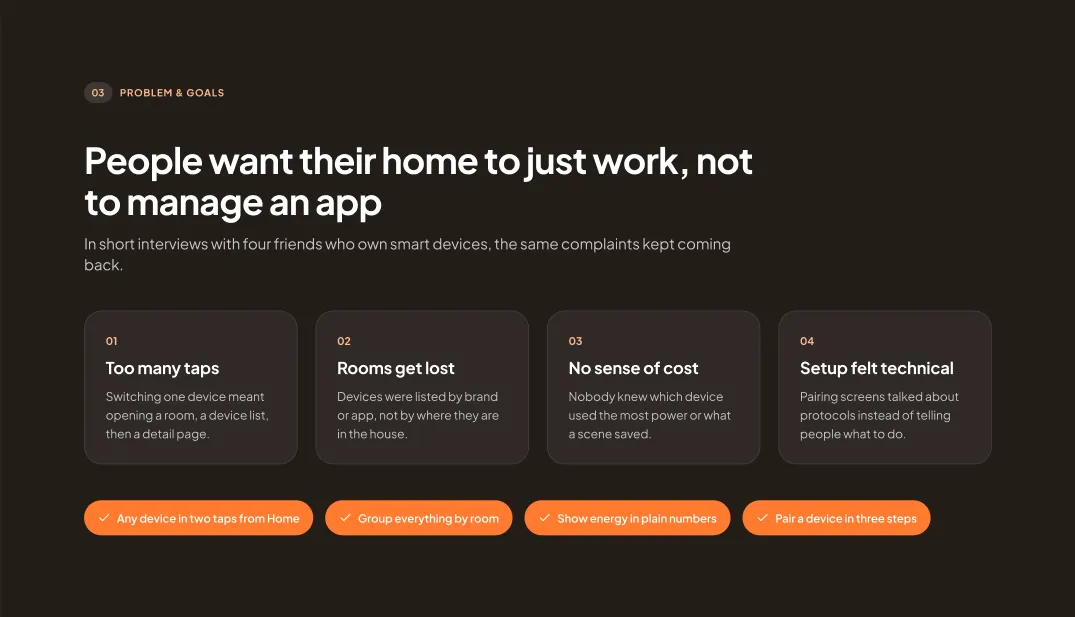
- ChallengeSmart home apps bury simple actions under menus. Turning off one lamp should not take four taps.
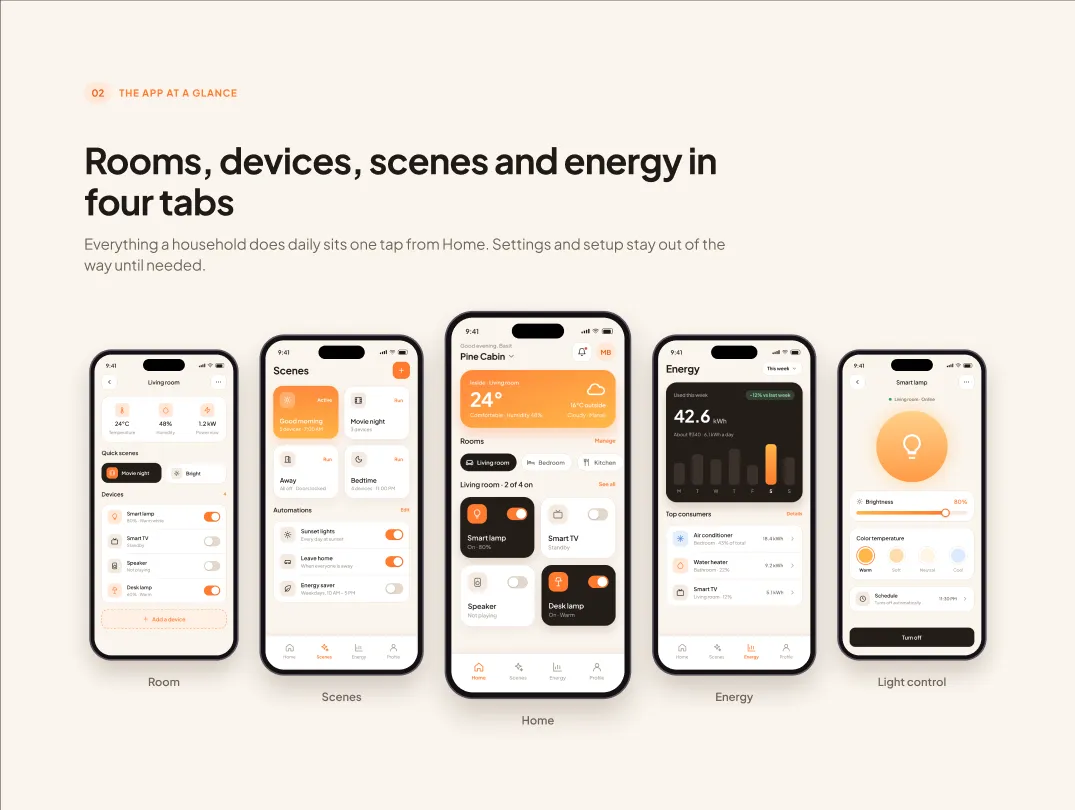
- SolutionRooms as chips, devices as big toggle cards, and a focused control screen for each device type.
- My roleResearch, information architecture, UI, design system and prototype. Solo concept project.
- Deliverables27 screens, 10 components with variants, user flows and an 89-link prototype.
The case study
16 frames from the Figma file

Next case study
Personal · SaaSSaaS Dashboard
A social media management product that helps creators plan, publish, measure and get paid — designed end to end, from log in to payouts.
Open case study→